Documentation
Jobs & Application Forms
Post open roles, publish them to job boards, and decide what applicants are asked when they apply.
Create a job posting
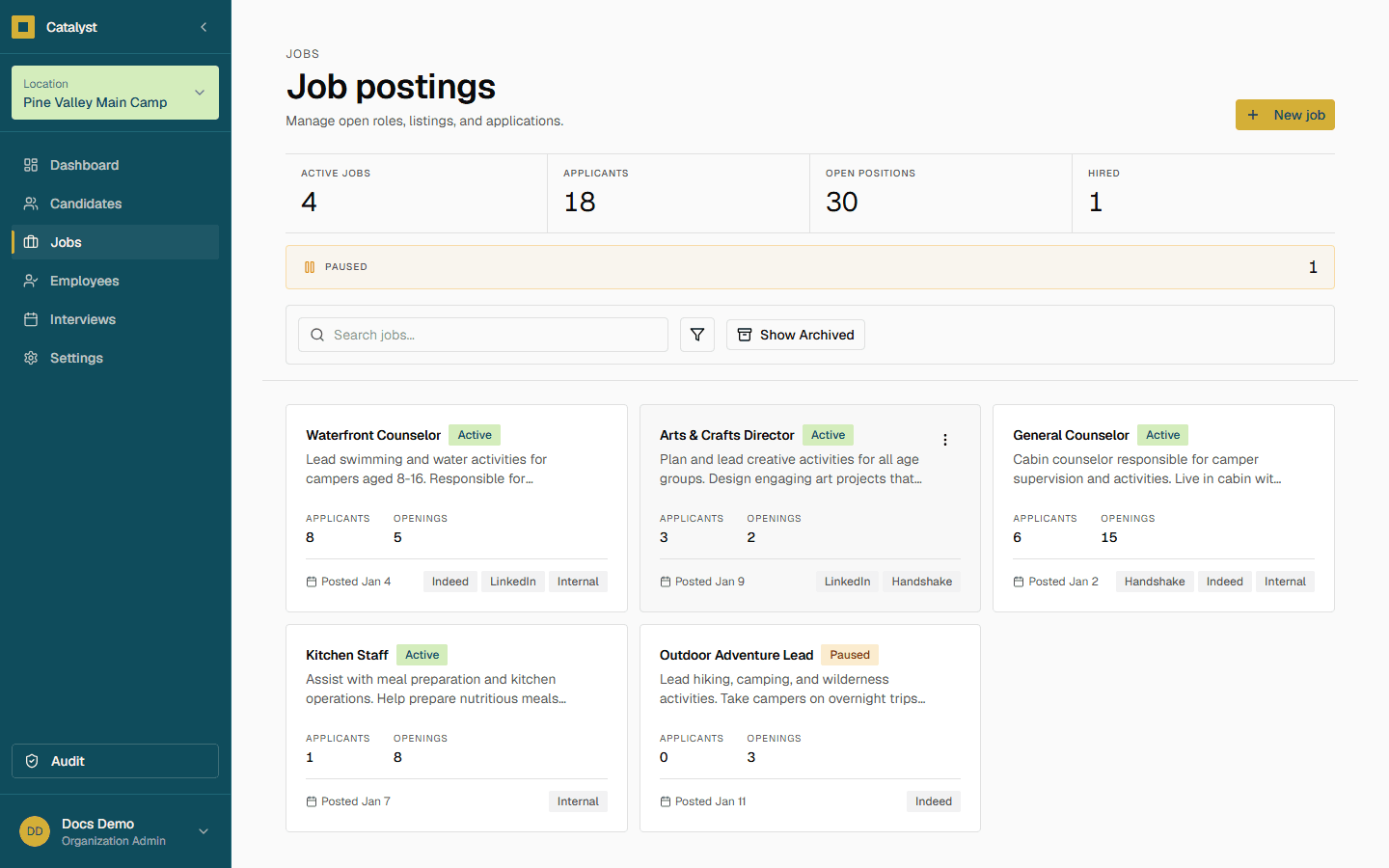
Go to Jobs in the sidebar and click New job.
- 1Enter a Job Title (e.g. "Security Team Lead").
- 2Choose a Department and Site Location.
- 3Choose an Employment Type: Full Time, Part Time, Seasonal, or Contract.
- 4Set the number of Openings, a Status (starts as Draft), and Compensation.
- 5Set a Start Date and Closing Date, and write a Description.
- 6Optionally add Listing Platforms (Indeed, LinkedIn, Handshake, Internal, or Other) with a URL for each.
- 7Click Create Job.
Your default application form
Settings → Application Form controls the fields every new job application asks for by default — this is your organization-wide form.
Note
Custom forms for a single job
Need a different set of questions for one role? Open that job and choose Application Form from its menu to override the org default for just that job.
Jobs with an override show a Custom form badge on their card, so you can tell at a glance which postings use a non-default form.
Heads up
Exporting data
Click Export in the page header to download the job list as a CSV, matching your current search and filters — title, department, location, status, employment type, compensation, posted date, and applicant count.