Documentation
Candidates
Every applicant moves through the same pipeline, from first application to hire.
The pipeline
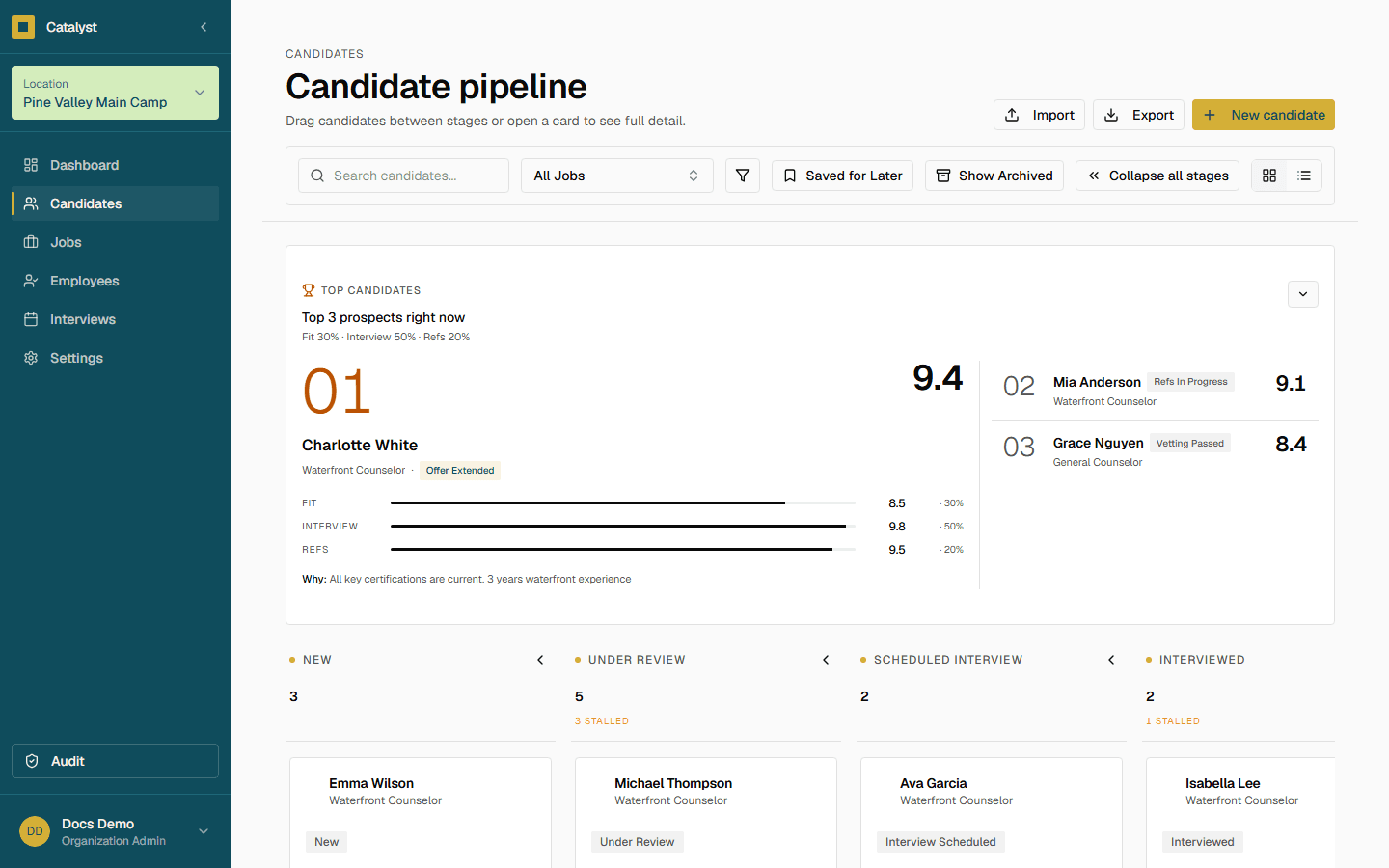
Open Candidates in the sidebar to see the full pipeline as a board. Each candidate sits in exactly one stage at a time; drag a card or update it from the candidate detail view to move them forward.
Application
- New Application
- Under Review
Screening
- Screening Scheduled
- Screening Completed
Interview
- Interview Scheduled
- Interviewed
References & vetting
- References Requested
- References In Progress
- References Complete
- Vetting Sent
- Vetting In Progress
- Vetting Passed
Offer
- Preparing Offer
- Offer Extended
- Offer Accepted
Outcome
- Onboarding
- Hired
- Rejected
- Withdrew
- No Show
Candidate detail
Click any candidate to open their detail view: contact info, submitted application answers, interview feedback, references, and a full activity history in one place.
Tip
Exporting data
Click Export in the page header (on smaller screens it's in the overflow menu) to download the pipeline as a CSV. The export matches whatever you're currently looking at — active search, stage, and other filters — so what you see on screen is what lands in the file.